
Free does the work. Pro does it while you're away.
Every tool is in the free version, with no caps, watermark or trial clock. Pro is everything that runs without a click. Pay once and keep it.
Free
- Your brand kit, overlays, panels, emotes, intro and mascot
- Go-live cards for Discord and Instagram, and your own Discord bot
- Every detection signal, live marking and local AI scoring
- The full editor: layouts, captions, sound, effects and stickers
- Montages with transitions, intros and outros
- Post to YouTube, TikTok, Instagram and Facebook yourself
- Title checks and what to post next
- Phone remote and phone notifications
- No caps, no watermark, no time limit
Pro
- New streams downloaded and processed on their own, with a montage made for you
- Scheduled posting at the hours your viewers show up
- Chaptered recaps of whole streams
- Monthly Stream Wrapped
- Live capture on Twitch, and posting big moments while you're live
- An automatic second look at each stream
- Insights: what got watched, how long people stayed and when they showed up
- Learns from how your posts did
- Captions in other languages, music removal and a crop that follows the action
- Sound effects and stickers placed on the moments for you
- AI thumbnail ideas, title testing and YouTube playlists
- Your brand on everything made for you, every platform size in one export, and bulk tools
- A weekly best-of montage on a schedule
- Run PeakSense from Claude or another AI assistant
- A morning report, and logins for your editor or mods
- Every future update
Already have a key? Paste it into Settings, PeakSense Pro. Keys never expire and are checked offline.
Rule of thumb: if it happens without a click, or across a pile of clips at once, it's Pro. Everything else is free.
Pro, up close
The parts that keep working after you log off.
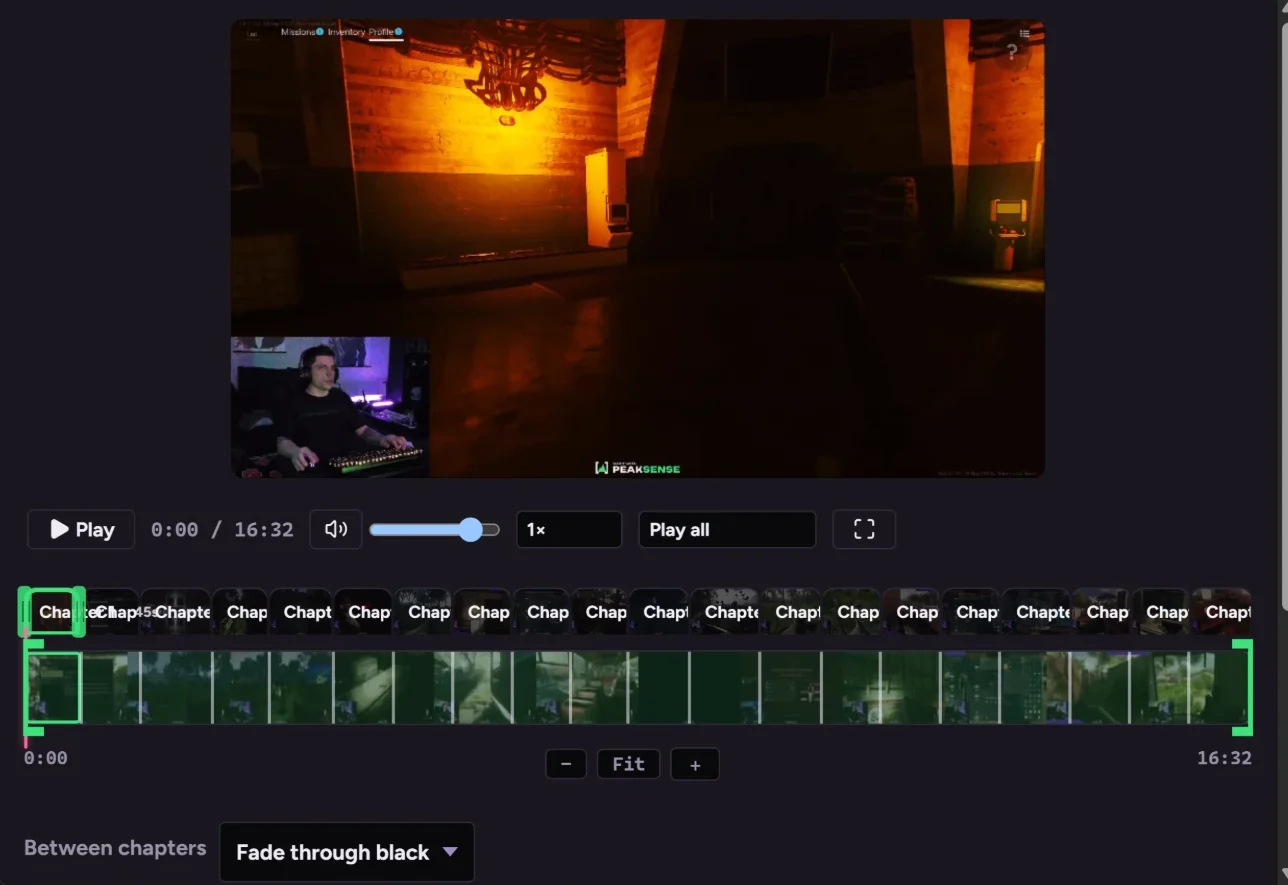
A recap of the whole stream Pro
Hours of stream cut to the stretches worth watching, as one YouTube video with chapters written.
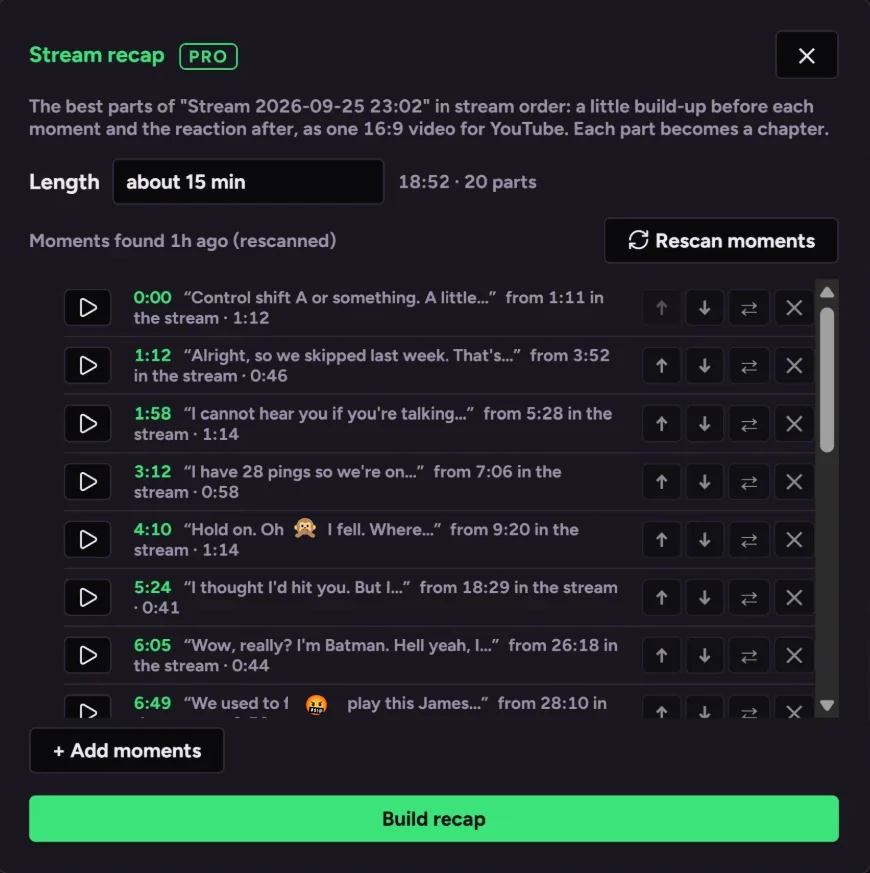
Pick what goes in
See every part it'll use before it's made, and play, swap or drop any of them.
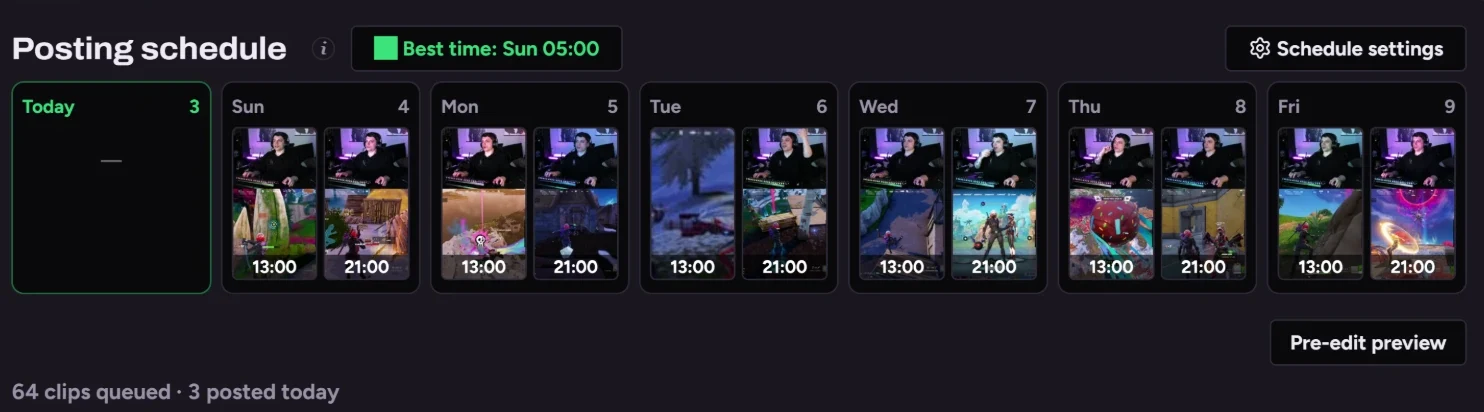
A schedule that posts for you Pro
Drag clips onto days; they render and post on their own.
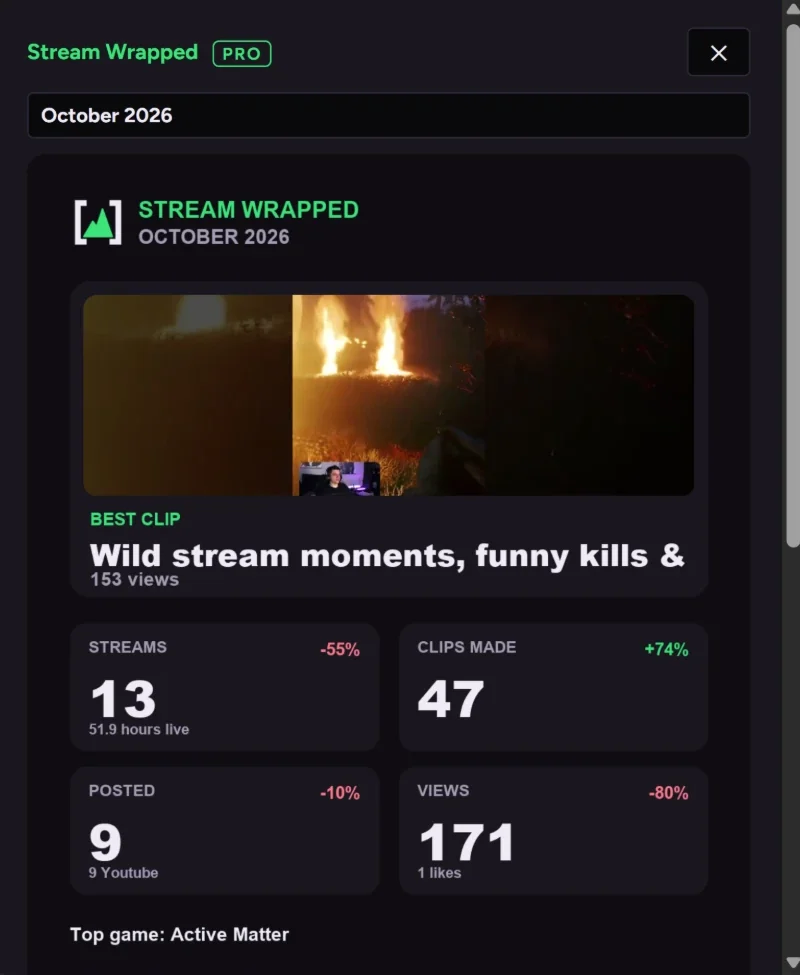
Stream Wrapped Pro
Your month's top moments and growth, ready to post.
What each Pro feature does
New streams, processed
PeakSense spots a new stream and clips it, so you wake up to clips ready to review.
Scheduled posting
Set it once and it renders and uploads while you sleep, work or stream, at the hours your audience shows up.
Recaps
A whole stream cut down to its best stretches as one long video, with YouTube chapters written for you.
Stream Wrapped
Your month of streams as a video and a page to share, made on its own.
Live capture
Raids, redemptions, bits and chat spikes become clips on Twitch without a button, and a big moment can go out before you end.
A second look
A few hours after processing it runs again and adds only moments you haven't clipped.
Learns from your winners
Reads how your posts did and leans toward moments like your best ones.
Title testing
Each Short tries two titles and keeps the one that pulled more views.
Insights
Views by post and by kind of moment, how long people watch, and the hours your viewers show up.
Weekly Peak
The week's best moments as one montage, built and posted on a schedule you set.
Your AI assistant
Ask Claude or another assistant to find, cut or queue clips, with you approving anything that posts.
Morning report
One message a day with last night's clips, what posted and how it's doing.
Your brand, everywhere
Your logo, caption style, cards and layout on everything made for you.